
Overview
The Pickup Monitor features 6 KPI cards that summarise your pickup performance for the selected booking period.
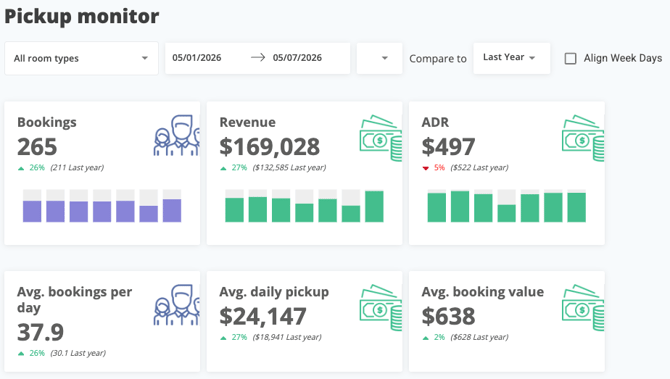
The 6 KPI Cards: What it measures?
- Bookings: Total number of reservations created in the selected booking period
- Revenue: Total revenue generated from those bookings
- ADR: Average Daily Rate across the selected bookings
- Avg. Bookings per Day: Average number of bookings received per day
- Avg. Daily Pickup: Average revenue picked up per day
- Avg. Booking Value: Average revenue value per individual booking
💡 Pro tip: The Bookings, Revenue, and ADR cards are interactive. You can click on the main totals or the benchmark comparison figures of these cards to open the full list of reservations for that period. To narrow your focus, you can also click on individual daily bars to view only the reservations booked on that specific date.
Reading a KPI Card
Every card answers two questions at once: how are we performing right now, and how does that compare?
Each card follows the same layout and displays three pieces of information:
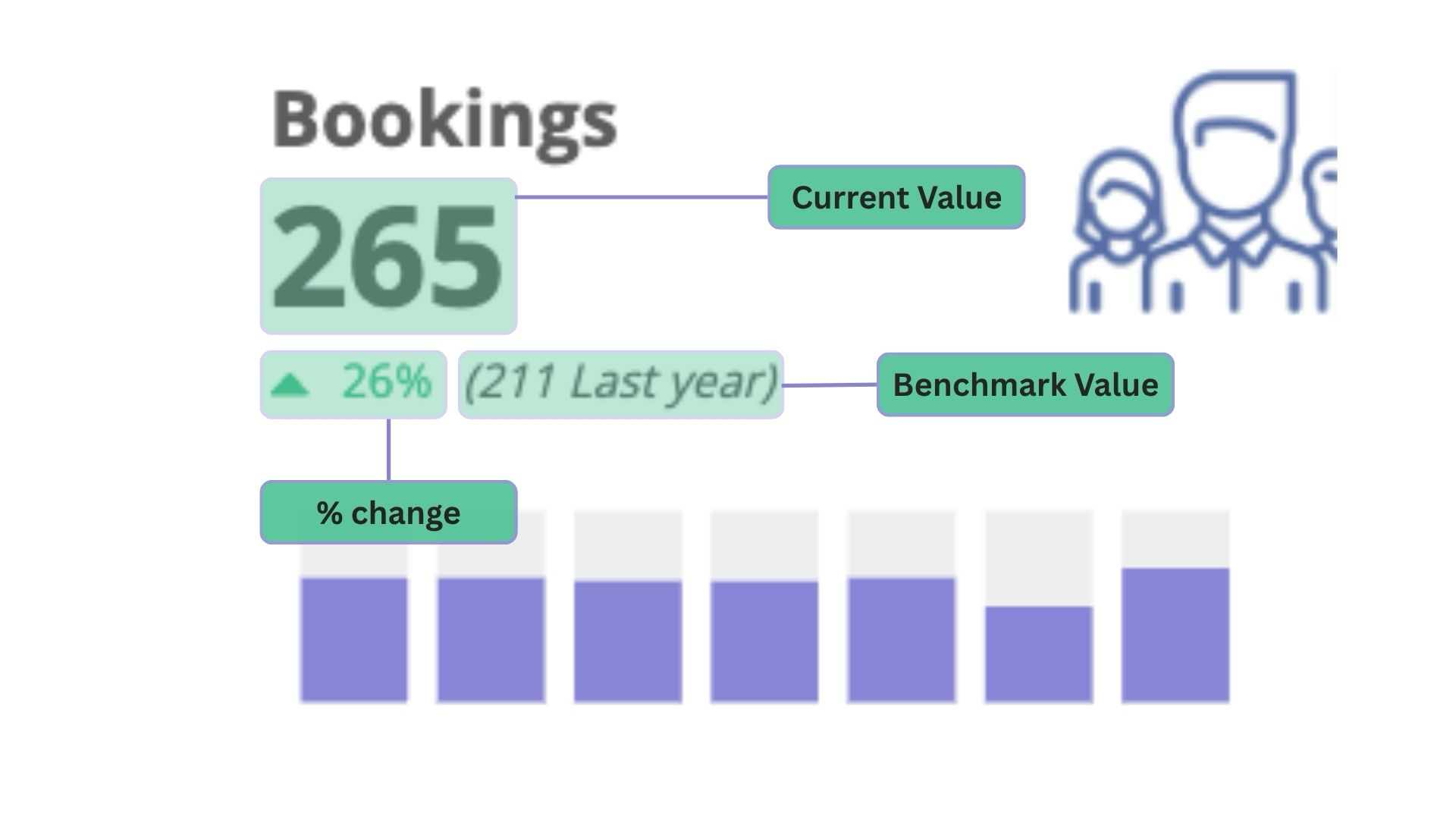
- Current value — The metric's result for your selected booking period.
- % change — How this compares to your chosen benchmark period.
Comparison value — The actual figure from your benchmark period (e.g., "Last year"), shown in parentheses.